Managing computer memory
Today, programs are increasing in size faster than memory, so computer memory management is a very important issue. All because the computer's memory has a hierarchical structure: a small very fast volatile cache memory, volatile RAM and non-volatile space on the hard disk. Managing computer memory reduces to coordinating the operating system (OS) using all these components. That part of the operating system that is responsible for managing the memory of the computer, that is, monitoring what part of it is used at the moment, allocates memory to processes and upon their completion releases resources, controls the exchange of data between RAM and the disk is called memory manager.
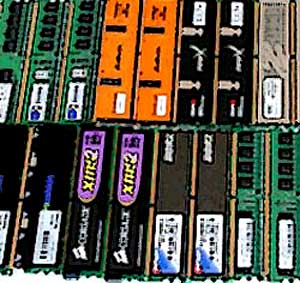
There are two classes of computer memory management systems. The first, if there is not enough RAM for simultaneous storage of all programs, move processes between the computer's RAM and the disk during their execution, swapping processes or paging. The second class of computer memory management systems reduces the amount of RAM. For example, for multimedia systems, large demands are placed on its size.
Managing the computer's memory for a single-tasking system without swapping to disk means that at each point of time only one program (process) runs, and the memory is shared between programs and the operating system. That is, after receiving the command, the OS loads the new program into memory, writing it over the previous one.
The easiest way to achieve multitasking is to partition memory into n, possibly not equal sections. When the job enters the memory, it is located in the input queue to the smallest partition, but large enough to accommodate this job, and all the space that is not used by this process in the section disappears. At the same time, there is almost no queue to a large section of the queue, and many tasks are built up for small sections. Therefore, managing the computer's memory in the second way is to organize one common queue for all partitions. Once the partition is freed, the task nearer to the top of the queue and suitable for execution in this section can be downloaded to it. Each time after the partition is freed, the job is queued for the largest task for this section, and it is it that is selected for processing. However, this algorithm removes small tasks from processing. Therefore, a task that has the right to be selected for processing can be skipped no more than k times. When the task is skipped, a one is added to the counter. If the counter value becomes k, you can no longer ignore the task.
RAM sometimes is not enough to accommodate all active processes, and then the excess processes must be stored on the disk, and for processing to transfer them into memory. The management of computer memory in this case depends in part on the available hardware. The simplest strategy, called swapping, is that each process is fully migrated to memory, running for a while and then completely returned to disk. After that, it can again return to memory, having another placement. Therefore, its addresses must be reconfigured or programmed at boot time, or hardwired at runtime.
Computer memory management, called virtual memory, allows programs to work even when they are only partially in RAM. In this case, the combined size of the program and data can exceed the amount of available physical memory of the computer. The OS stores the parts of the program currently in use by RAM, the rest on the disk. At that, parts of the program that are on the disk and used by the memory can change places as needed.
